All you need to know about YouTube Multi-Channel Network (MCN)?

What's a YouTube Multi-Channel Network (MCN)?

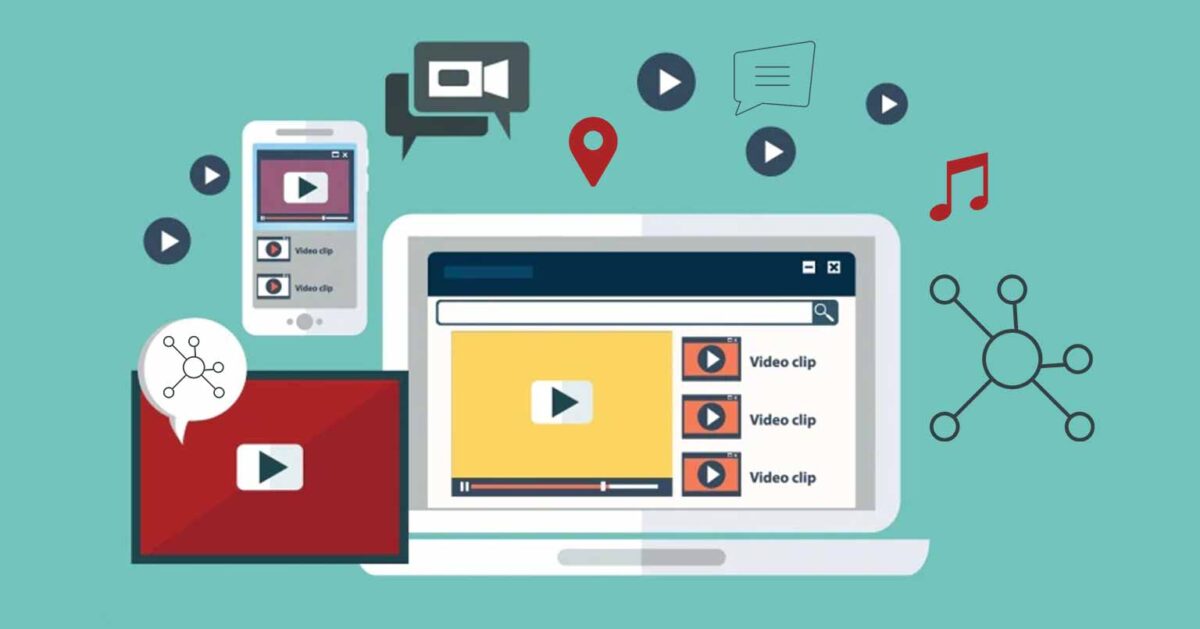
A YouTube Multi-Channel Network (MCN) is a company that works with YouTube content creators to give them access to a range of services including audience development, content programming, and monetization. MCNs work with YouTube creators to help them grow their audiences and increase their revenue. They also provide services such as content protection, analytics, copyright management, and access to resources for production. MCNs are responsible for negotiating deals with brands, helping to promote and distribute content, and connecting creators with other industry professionals. MCNs can also offer promotional and advertising opportunities for YouTube creators.

How are MCN's beneficial for YouTube creators?

MCN’s are beneficial for YouTube creators because they provide creators with access to resources and services that would otherwise be difficult or expensive to obtain. MCN’s can provide access to tools and services such as content protection, monetization and analytics. They can also provide marketing and promotional support, help with audience growth and engagement, and access to exclusive promotional opportunities. Additionally, some MCN’s provide assistance with legal and rights management issues.

How can YouTube creators join MCN?

YouTube creators can join a MCN by reaching out to them directly, or by signing up with a network that offers an open application process. The network will typically review the creator’s content, channel stats, and audience engagement before accepting them. Once accepted, creators can gain access to additional resources, marketing tools, and monetization opportunities.

What are the advantages of Signing up to a Multi-Channel Network for YouTubers?

1. Increased Reach:

For most creators, “reach” is misunderstood as promotion or sharing links. That’s not what actually moves the needle anymore. In 2026, reach is driven by how well your content is positioned inside existing traffic systems. A good MCN helps you plug into those systems. This could mean placing your videos through end screens or I-cards on already performing content, aligning your uploads with what is already working within the network, or even helping you tap into regional or language-based audiences that you otherwise wouldn’t access on your own. The real value here is not exposure, but controlled discovery. Instead of hoping YouTube picks your video, you’re intentionally feeding it signals through structured traffic.

2. Professional Support:

Most creators operate on assumptions—what might work, what feels right, what others are doing. The gap between creators who grow and those who don’t is often not effort, but clarity. This is where professional support actually matters. A strong MCN doesn’t just “guide” you; it helps you interpret what’s happening on your channel. Why one video got pushed but didn’t convert. Why another has strong retention but no impressions. Why your returning viewers are low. It also becomes critical when it comes to policy. With YouTube tightening rules around reused content, fair use, and monetization eligibility, even small mistakes can impact revenue. Having someone who understands these systems reduces that risk.
At its best, support from an MCN shifts you from trial-and-error creation to system-driven decisions.

3. Networking Opportunities:

Collaboration is often treated casually, but in reality, most collaborations fail because they are not thought through. Simply appearing on another creator’s channel doesn’t guarantee growth. An MCN can make this more structured. Instead of random collaborations, there’s an opportunity to connect creators whose audiences actually overlap. This improves the chances of audience transfer rather than just temporary visibility. Beyond creators, networks also open access to brands and production ecosystems. For many creators, especially in early or mid stages, this kind of access is otherwise difficult to build independently. So the advantage is not just “networking,” but relevant and strategic exposure.

4. Increased Monetization Opportunities:

The irony is that most creators already have access to analytics but very few know how to read them correctly. Seeing impressions, CTR, or watch time is one thing. Understanding what they mean is another. For example, a video getting impressions but not clicks signals a packaging problem. High CTR but low watch time points to a weak opening. Strong watch time but low impressions indicates YouTube hasn’t found the right audience yet.

An MCN helps connect these dots. Instead of just looking at numbers, you start identifying patterns what kind of content brings returning viewers, what formats hold attention, what topics actually convert. Over time, this turns your channel into a predictable system rather than random outcomes.

5. Access to Advanced Video Analytics:

The irony is that most creators already have access to analytics—but very few know how to read them correctly. Seeing impressions, CTR, or watch time is one thing. Understanding what they mean is another. For example, a video getting impressions but not clicks signals a packaging problem. High CTR but low watch time points to a weak opening. Strong watch time but low impressions indicates YouTube hasn’t found the right audience yet.
An MCN helps connect these dots. Instead of just looking at numbers, you start identifying patterns—what kind of content brings returning viewers, what formats hold attention, what topics actually convert. Over time, this turns your channel into a predictable system rather than random outcomes.

Are there any Disadvantages of Signing up to a Multi-Channel Network for YouTubers?

Yes, there are some disadvantages to signing up to a multi-channel network for YouTubers.

1. Loss of Control:

One of the biggest concerns creators have is losing control over their channel. This concern is valid, but it depends entirely on the type of agreement. Some networks require access to your entire channel, including monetisation and rights management. Others operate more flexibly, working at a video level or offering selective services.

The problem is not MCNs in general—it’s unclear agreements. Creators need to understand what access they are giving and what they are getting in return. Without that clarity, partnerships can feel restrictive.

2. Increased Competition:

Inside a network, you are not the only creator. Multiple creators may be targeting similar audiences, similar niches, and even similar brand opportunities. This creates internal competition. Not everyone gets equal attention or equal opportunities. However, this is also how the platform itself works. Growth is already competitive. A strong MCN simply reflects that reality more transparently. The key difference is whether the network helps you stand out within that competition.

3. Potential Loss of Income:

Most MCNs operate on a revenue share model. This means a percentage of your earnings goes to the network. If the network is not actively contributing to your growth, this can feel like a direct loss. This is why creators often have negative experiences—they don’t see a clear return. The right way to look at this is not percentage, but outcome. If your overall revenue increases because of better monetization, brand deals, or higher-performing content, the share becomes justified. If not, the partnership lacks value.

4. Network Requirements:

Joining an MCN often comes with expectations. These may include maintaining consistent uploads, ensuring content originality, and following platform-safe practices.
For serious creators, this is not a disadvantage—it’s structure. But for those who prefer a casual or irregular approach, it can feel like pressure. In reality, these requirements exist because the platform itself demands them. The network is simply enforcing what YouTube already rewards.


Most MCNs promise growth. Very few explain how that growth actually happens.
At Ping Network, the focus is not on locking creators into rigid systems, but on building practical, working structures around their content. Whether it’s helping you understand why your videos are not converting, setting up better monetization pathways, or even offering video-wise Content ID protection without taking over your entire channel—the goal is to add value where it actually matters. If you’re looking to move beyond guesswork and start building your channel with clarity and direction, Ping Network can help you do that in a way that stays aligned with your content and your control.
How Can I Monetize My YouTube Channel?

How can I monetize my YouTube Channel?

MCN (Network) services can help you monetize your YouTube channel by providing you with access to high-profile sponsorships, brand deals, and other promotional opportunities. MCN services can also help you manage your channel by providing access to audience insights and analytics, video optimization tools, and other resources. Additionally, MCN services can help you manage your channel’s copyright issues, as well as providing access to a network of other YouTube creators who can help promote your channel.

What are the Dangerous pranks used by YouTube creators

What are the requirements for getting it monetized?

  1. First, you need to have at least 1000 subscribers and 4000 hours of watch time over the past 12 months.
  2. You also need to join the YouTube Partner Program (YPP) and create an AdSense account.
  3. You need to comply with YouTube’s monetization policies and follow the guidelines for creating ad-friendly content.
  4. You also need to make sure your channel is in good standing with YouTube by avoiding copyright violations, spam, and other violations of YouTube’s policies.
  5. Finally, you need to review and update your content regularly to make sure it is up to date and relevant for your viewers.

What are the Do's and Don'ts for youtube creators

Do's

  • Produce high-quality content and be consistent.
  • Interact with your viewers and build a relationship with them.
  • Create a schedule for releasing new content and stick to it.
  • Optimize your videos for search engines using keywords, tags, and descriptions.
  • Take advantage of YouTube’s analytics to understand your audience better.
  • Promote your channel across other social media channels.
  • Collaborate with other YouTube creators to reach a wider audience.
  • Use YouTube’s tools for building a community around your channel.

Don'ts

  • Don’t upload copyrighted content.
  • Don’t use click-bait titles and thumbnails.
  • Don’t forget to credit other creators if you’re using their content.
  • Don’t respond to trolls and negative comments.
  • Don’t neglect your channel and expect it to go viral overnight.
  • Don’t be afraid to experiment and try new things.
  • Don’t forget to have fun and enjoy the process.

Dangerous pranks and challenges are not allowed on YouTube

Dangerous pranks and challenges are not allowed on YouTube.

YouTube encourages its users to be safe and respectful of others. It is against YouTube’s Community Guidelines to post content that encourages dangerous or illegal activities, or that puts minors at risk. This includes pranks that may result in physical or emotional harm, or challenges that involve consuming substances or substances that could be dangerous.

What are the Dangerous pranks used by YouTube creators

1. Dangerous Dares:

This prank involves having someone do a dangerous and sometimes life-threatening dare. Examples include eating something disgusting, jumping from high places, or attempting a dangerous stunt.

2. Fake Injury Pranks:

These involve convincing someone that they have hurt themselves and need medical attention. This can be done by using fake blood, ketchup, or other materials to create a convincing injury.

3. Car Pranks:

Car pranks involve stunts or tricks that are done in and around vehicles. These can range from dangerous wheelies to doing donuts in a parking lot.

4. Public Pranks:

These involve pranks that are done in public places, such as restaurants, stores, or parks. Examples include fake fights, staged accidents, or other disruptive behavior.

5. Scare Pranks:

Scare pranks involve scaring someone by surprising them or using props like masks or fake spiders. This type of prank is often used to get a reaction out of someone.

How can youtube creators avoid dangerous pranks?

1. Do research:

Research the prank before performing it in order to make sure it is safe.

2. Avoid stunts:

Stunts can be dangerous and should be avoided, even if they seem like they would be fun or funny.

3. Have a spotter:

If a prank involves height or any other potential risk, make sure someone is watching and ready to help in case of an emergency.

4. Get permission:

If a prank involves other people, make sure to get their permission before filming.

5. Avoid putting yourself or others in harm’s way:

Pranks should never involve putting yourself or others in harm’s way.

Fundamentals of a Creative Strategy

What is a Creative Strategy

A creative strategy is a plan of action created to reach a specific marketing goal. It involves developing a unique approach to your marketing message and target audience in order to stand out from the competition. It includes elements such as defining the brand’s target market, creating an emotional connection with your audience, and developing a strategic message that resonates with them.

Fundamentals of a Creative Strategy

1. Understand the Client:

Research the client’s industry, current trends, competitive landscape and target audience.

2. Set Objectives:

Define the goals of the creative strategy and determine the desired outcome.

3. Identify Target Audience:

Understand the target audience’s needs, wants, and behaviors.

4. Develop a Creative Concept:

Brainstorm ideas and develop a concept that speaks to the objectives and target audience.

5. Develop a Creative Message:

Craft the message that will be communicated in the creative.

6. Create a Creative Plan:

Develop a plan that outlines the creative process and the elements of the creative strategy.

7. Execute the Creative Strategy

Implement the creative strategy and evaluate the results.

What is a Creative Strategy for YouTube creators

1. Focus on Quality Content:

Quality content is essential in order to stand out from the crowd on YouTube. Creating content that is highly engaging, entertaining, and informative will help to draw in viewers and keep them coming back for more.

2. Use SEO Tactics:

Utilizing SEO tactics such as proper keyword research, meta tags, and backlinks can help to increase the visibility of your content and make it easier for viewers to find.

3. Leverage Social Media:

Social media is an important tool for YouTube creators. By leveraging platforms like Twitter, Facebook, and Instagram, creators can reach a wider audience and build relationships with viewers.

4. Engage with Your Viewers:

Engaging with viewers is critical for YouTube creators. Responding to comments and engaging in discussions can help to create a sense of connection between creators and viewers.

5. Focus on Consistency:

Consistency is key for YouTube creators. Posting videos on a regular basis and keeping a consistent schedule will help to keep viewers engaged and coming back for more.

6. Collaborate with Other Creators:

Collaborating with other YouTube creators is a great way to expand your reach and broaden your audience. Working with other creators can help to

Can Live Stream Grow And Increase My Earnings Potential

What is a YouTube Live stream?

Youtube Live Stream is a feature of YouTube that allows users to broadcast live content to viewers. Live streaming on YouTube works by using a webcam or other camera to capture video and audio and then broadcasting it directly to the platform. Live streams can be viewed by anyone with a compatible device, and the content can include a variety of different topics, such as gaming, music, sports, and more.

Can Live Stream grow and increase my earnings potential?

Yes, live streaming can definitely grow and increase your earnings potential. Live streaming is a great way to connect with your audience in real time, build relationships, and increase your visibility and reach. With the right approach and strategy, you can monetize your live streams and start making more money.

How to live stream in YouTube

  • Create a YouTube channel.
  • Install streaming software on your computer.
  • Connect your streaming software to your YouTube channel.
  • Set up your stream.
  • Start streaming.

For more detailed instructions, visit the YouTube Help Center.

Steps to monetize live stream

  • Make sure your YouTube channel is eligible for monetization.
  • Set up a Google AdSense account and link to your YouTube channel.
  • Create a live streaming event on YouTube.
  • Enable monetization for your live stream.
  • Create pre-roll ads for your live stream.
  • Promote your live stream to drive more viewers.
  • Monitor your live stream’s performance and adjust accordingly.
  • Collect your earnings from Google AdSense.

What Is Copyright Content? How To Remove Copyrighted Content From YouTube Videos

What Is Copyright Content?

Copyright content refers to any type of creative work that is protected by copyright law, such as books, movies, music, photographs, artwork, and software. The owner of the copyright has exclusive legal rights to reproduce, distribute, and publicly perform or display the work. Copying or using copyrighted content without the permission of the copyright owner is illegal and could result in civil and criminal penalties.

What is the YouTube policy for copyright content?

YouTube’s policy on copyright content is that any content that is uploaded to the platform must not infringe upon anyone’s copyright. This includes content that has been created or owned by someone else. YouTube has a system of copyright protection in place, and any content that is found to be infringing on someone else’s copyright can be removed from the platform. Additionally, YouTube may take legal action against the person who uploaded the copyrighted content.

How to make sure my content is not copyrighted

  • Create your own original content.
  • Do your research. Make sure that you are not copying or replicating someone else’s work.
  • Give credit to the original source if you use someone else’s work.
  • Use Creative Commons licenses to protect your content.
  • Use disclaimers when necessary.
  • Be aware of fair use.
  • Obtain permission when necessary.
  • Consider registering your work with a copyright office.

How to remove Copyrighted content from YouTube Videos

1. Contact the copyright holder:

If you’ve found content that you believe infringes on your copyright, reach out to the user who posted it. Explain your concerns and ask them to remove the content.

2. Submit a copyright takedown notice:

If you can’t resolve the issue directly with the user, you can submit a copyright takedown notice to YouTube.

3. File a lawsuit:

If the copyright infringement continues, you may need to file a lawsuit. This should be a last resort. Make sure to consult with a lawyer before taking any legal action.

What is Fair use in Youtube?

Fair use is a legal doctrine that allows limited use of copyrighted material without permission from the copyright holder. It is a US copyright law that allows limited use of copyrighted material for educational, research, and other purposes such as criticism, comment, news reporting, teaching, scholarship, and parody. Under the fair use doctrine, copyrighted material can be used without permission from the copyright holder if it meets certain criteria. This includes using the material for purposes such as criticism, comment, news reporting, teaching, scholarship, or research. When evaluating a fair use claim, the amount of the work used, the purpose of the use, and the effect of the use on the market for the original are all factors to consider.

Use Channel Membership Feature To Give Credit To The Supporting Member’s

Use Channel Membership Feature to give credit to the supporting members

A channel membership feature allows YouTube channels to offer exclusive content, perks, and advantages to their subscribers, usually for a monthly fee. Channel memberships are a great way for creators to monetize their content, as they can offer exclusive access to videos, behind-the-scenes content, and live chats. This can be a great way to reward loyal viewers and help creators monetize their channels.

The Channel Membership feature allows you to give credit to members who support your channel. You can thank them for their support and reward them with exclusive access to content, discounts, and other rewards. This feature is available for all YouTube Creators who have a channel with at least one thousand subscribers.

To start using Channel Membership, you simply need to enable it on your channel and set up different tiers of memberships. Then, you can select what benefits each tier will have access to.

You can also use this feature to thank members and provide them with exclusive content, discounts, and other rewards. This feature is an excellent way to build loyalty and reward your supporters.

Steps to use Channel Membership Feature:

1. Set up your channel:

Before you can use the channel membership feature, you need to set up your channel. This can include setting up a profile picture, choosing a channel name, and writing a description of your channel.

2. Create a membership tier:

You will need to create a membership tier for your channel. You can choose to offer multiple tiers of memberships, with different benefits for each.

3. Promote your membership

Once you have your memberships set up, you will need to promote them to your viewers. You can do this by creating posts on social media, sending out emails, or even running ads to reach potential members.

4. Collect subscriptions:

You will need to collect subscribers’ payment information. This can be done through a third-party payment processor, such as PayPal or Stripe.

5. Offer rewards:

You can offer exclusive rewards to your members, such as behind-the-scenes videos, access to exclusive content, or discounts on merchandise.

6. Monitor progress:

You should regularly monitor how your channel membership is going. This can be done through analytics and reports in your channel’s dashboard.

Use Social Media To Grow Your Channel

Use Social Media to Grow Your youtube Channel

Social media can be used to grow your YouTube channel. By sharing your content on social media, you can reach a wider audience and draw more viewers to your channel. Additionally, you can use targeted ads and influencer marketing to grow your channel.

1. Create a strong presence on popular social media platforms:

Start by creating a profile on popular social media platforms such as Facebook, Twitter, Instagram, and Pinterest. Make sure your profile is professional and includes your YouTube channel’s name and link.

2. Post videos on social media:

Once you’ve created your profiles, start posting teaser clips of your YouTube videos on social media. This will help you to get more views for your videos.

3. Use relevant hashtags:

Hashtags are a great way to increase the reach of your posts and videos. Make sure to use relevant hashtags in your posts and videos so that your content can be discovered by the right people.

4. Engage with other users:

Make sure to engage with other users on social media. Reply to comments, like their posts, and share their content. This will help to build relationships and can encourage more people to check out your YouTube channel.

5. Collaborate with influencers:

Reach out to influencers in your niche and ask if they’d be willing to collaborate with you. Having an influencer promote your videos can help to get more views and subscribers.

Explain About Repetitious Content Policy In YouTube

Explain about Repetitious Content Policy in Youtube?

The YouTube repetitious content policy states that users are not allowed to upload multiple videos that are substantially similar in content. This policy is designed to prevent users from uploading the same video multiple times or from flooding the YouTube platform with content that is not substantially different. YouTube encourages users to create unique, original videos. Additionally, videos should not be re-uploaded after they have been removed by YouTube due to a copyright violation or other breach of YouTube’s terms and policies.

The Repetitious Content Policy in YouTube is designed to ensure that videos uploaded to the platform are original and do not contain any content that has already been uploaded by another user. This policy is in place to protect copyright holders, as well as to ensure that viewers are not inundated with the same content multiple times.

Do's

  • Ensure that the content you upload is original and not reused from other sources, including other YouTube users.
  • Familiarize yourself with the YouTube Copyright Guidelines to ensure that you are not infringing on any copyrights.
  • Create content that is unique and engaging.

Don'ts

  • Do not upload content that has already been uploaded by another user.
  • Do not upload content that is not your own.
  • Do not upload content that is a copy or derivative of another user’s content.
  • Do not upload content that contains plagiarized material.

YouTube Partner Program – Requirements For Monetization

For a channel to be eligible for monetization, it will have to meet the following requirements:

How To Apply to the You Tube Partner Program ?

To apply to the YouTube Partner Program (YPP) you can follow these steps, and once the channel meets the first 2 requirements, YouTube will review the channel to make sure it follows all their policies, guidelines and terms.

Can the monetization of channel be disabled even if it meets the requirements of YPP?

A channel may be removed from YPP and have the monetization removed for a number of reasons, Please review this article to identify the reason.

You should be able to reapply after 30 days, but you need to make sure that your channel/content adheres to the YouTube Partner Program policies, YouTube Terms of Service, YouTube spam policies, and the Community Guideline. Community strikes, spam, and other abuse flags will prevent you from joining the program.

If you are Ping Partner but not sure what went wrong, do not hesitate to contact us on partner.support@pingnetwork.in

How do I check my watch time for the past 12 months?

  • Go to your YouTube Analytics
  • After applying to the YouTube Partner Program, you can go to your monetization tab at any moment to check the number of watch hours.
PING NETWORK WHITE

Drop Your Email & Stay in the Loop